

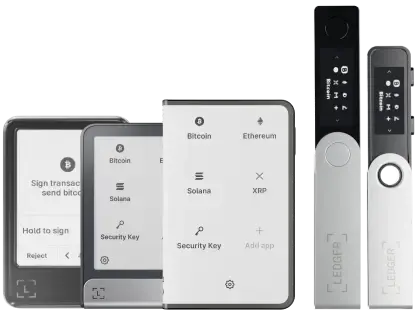


Ledger Nano™ Gen5登場、資産管理をもっと自分らしく演出

今すぐチェック

Complete your
Ledger Recover activation

Finish the onboarding to create the digital backup that secures access to your wallet.
Redeem the code sent to your inbox to complete activating Ledger Recover.

How to apply your Ledger Recover redeem code

Set up your Ledger wallet
with the Ledger Live app

To begin creating the digital backup to access your wallet, you must first set up your Ledger wallet and sync it to the Ledger Live app.

Download Ledger Live now
Set up your Ledger wallet<br>  with the Ledger Live app

Open Ledger Recover in the
Ledger Liveアプリにおまかせください

Once you’ve set up your device, click on “Start your free trial”, or go to the Ledger Recover section in the Ledger Live app.

Open Ledger Recover in the<br>  Ledger Liveアプリにおまかせください

Ledger Recoverログインを作成する。

Keeping your device nearby, grab a valid ID and follow the instructions to complete your login setup.

Ledger Recoverログインを作成する。

Redeem your unique code
sent to your inbox

Once you reach the “Add my card” screen in the Ledger Recover subscription process, tap “Apply my redeem code”.
Input the unique code sent to your inbox when you initially subscribed to Ledger Recover on Ledger.com. Once your code is applied, proceed to checkout.

Redeem your unique code<br>  sent to your inbox

Verify your identity to start backing
up access to your wallet

Your Ledger Recover subscription is officially activated once you have successfully validated your identity and secured your Secret Recovery Phrase backup.

Verify your identity to start backing<br>  up access to your wallet
1

お問い合わせ

お知らせはブログからご確認いただけます。 メディア関連の連絡先:
[email protected]

ニュースレターを購読

新しいコインやブログアップデート情報、限定オファーを直接受け取ることができます。


お客様のメールアドレスは、ニュースレターの配信、アップデートおよびキャンペーン情報の送信にのみ使用されます。ニュースレターに記載されたリンクから、いつでも購読を解除することが可能です。 データの管理方法とお客様の権利については、こちらをご覧ください。