

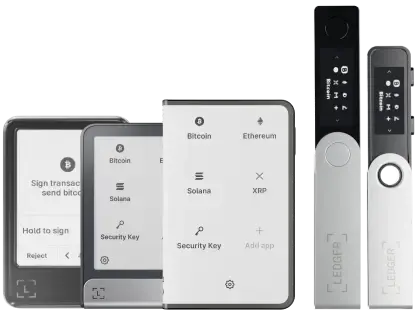


隆重推出 Ledger Nano™ Gen5,迄今为止可玩性最高的悦签宝

立即探索

Complete your
Ledger Recover activation

Finish the onboarding to create the digital backup that secures access to your wallet.
Redeem the code sent to your inbox to complete activating Ledger Recover.

How to apply your Ledger Recover redeem code

Set up your Ledger wallet
with the Ledger Live app

To begin creating the digital backup to access your wallet, you must first set up your Ledger wallet and sync it to the Ledger Live app.

Download Ledger Live now
Set up your Ledger wallet<br>  with the Ledger Live app

Open Ledger Recover in the
Ledger Live 应用程序

Once you’ve set up your device, click on “Start your free trial”, or go to the Ledger Recover section in the Ledger Live app.

Open Ledger Recover in the<br>  Ledger Live 应用程序

创建您的 Ledger Recover 登录帐户

Keeping your device nearby, grab a valid ID and follow the instructions to complete your login setup.

创建您的 Ledger Recover 登录帐户

Redeem your unique code
sent to your inbox

Once you reach the “Add my card” screen in the Ledger Recover subscription process, tap “Apply my redeem code”.
Input the unique code sent to your inbox when you initially subscribed to Ledger Recover on Ledger.com. Once your code is applied, proceed to checkout.

Redeem your unique code<br>  sent to your inbox

Verify your identity to start backing
up access to your wallet

Your Ledger Recover subscription is officially activated once you have successfully validated your identity and secured your Secret Recovery Phrase backup.

Verify your identity to start backing<br>  up access to your wallet
1

联系我们

可以在我们的博客查看公告。 媒体联系:
[email protected]

订阅我们的简报

在收件箱中直接查看支持的新币种、博客更新以及专属优惠


您的电子邮件地址将仅用于向您发送我们的简报,以及更新和优惠信息。您可通过简报中的链接随时取消订阅。 详细了解我们如何管理您的数据和您的权利。