
Ledger Wallet 4.0 Empowering Smarter Decision Making

| KEY TAKEAWAYS: |
| — Ledger Wallet™’s action-oriented dashboard provides greater clarity, empowering smarter decision making by placing buying, swapping, and sending at the heart of the interface.* — Move from market observation to transaction without navigating across multiple screens. — Live market data, including a real-time ticker, trending assets, and a Market Mood Index, is integrated into the home screen. — Market insights and transaction actions are presented together, allowing you to evaluate conditions and act without switching between apps. |
Picture this: you hear about a new token launch on-chain, so you open your wallet to check your position. Before acting, you switch to a price tracking app to understand the market, then return to your wallet to execute the transaction.
That extra step is unnecessary friction that interrupts your decision flow.
Ledger Wallet™ 4.0 reduces this dependency on external tools by integrating market data directly into one clear dashboard. The information you need to assess the market sits alongside the controls used to act on it.
You do not need to leave the app to check prices. You do not need to search for the swap interface. The clarity of the improved dashboard presents both context and action in a single view removing friction and facilitating decision-making.
The Cost of Delays in Digital Asset Decision-Making
Timing plays a central role when interacting with digital assets.
Ledger Wallet has always enabled you to execute transactions securely, with access to multiple providers, liquidity sources, and routing options. However, deciding when to act often depended on external tools.
This created a gap between observing the market and executing a transaction. Previously, this process involved:
- Checking your balance without knowing if it was fully up to date
- Opening another app to assess market conditions
- Forming a decision based on that external data
- Returning to Ledger Wallet to execute the transaction
This sequence introduced delay and uncertainty. Switching between tools can interrupt your decision flow. You gather information in one place, then act in another. This separation makes it harder to respond to market changes in real time.
Ledger Wallet 4.0 restructures this experience by aligning portfolio visibility, market data, and transaction actions within the same interface.
Ledger Wallet 4.0 Dashboard: What’s Changed
The Ledger Wallet 4.0 dashboard replaces static displays with dynamic indicators. These indicators show both your portfolio state and when that data was last updated.
You can review your assets and current market conditions together, using information that is clearly timestamped.
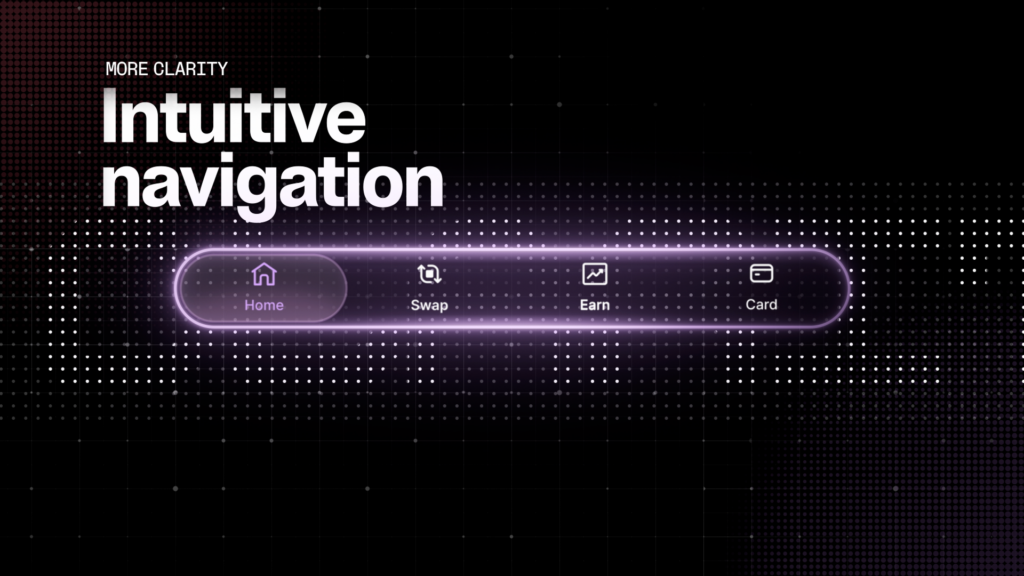
Moreover, the historical portfolio view now lives in a secondary Analytics screen, giving the main dashboard more room for your assets, market data, and quick actions. You’ll see tabs for Swap and Card, along with a cleaner navigation bar for settings and notifications, all designed for efficiency when you choose to act.
Balance Refresh Indicators: The End of Portfolio Guesswork
When you open a wallet, you often see a balance without knowing how recent that information is.
Ledger Wallet 4.0 introduces Balance Refresh Indicators to address this. These indicators display the exact time your portfolio data was last updated.
This allows you to confirm that your balance reflects the latest state before preparing to sign a transaction.
Market Awareness: Built-In, Real-Time Data
Ledger Wallet 4.0 integrates market data directly into the dashboard. This reduces the need to rely on external price tracking tools.
Live Ticker Tape
A live ticker displays real-time price movements on the home screen. You see market changes as soon as you open the app, without navigating to another section.
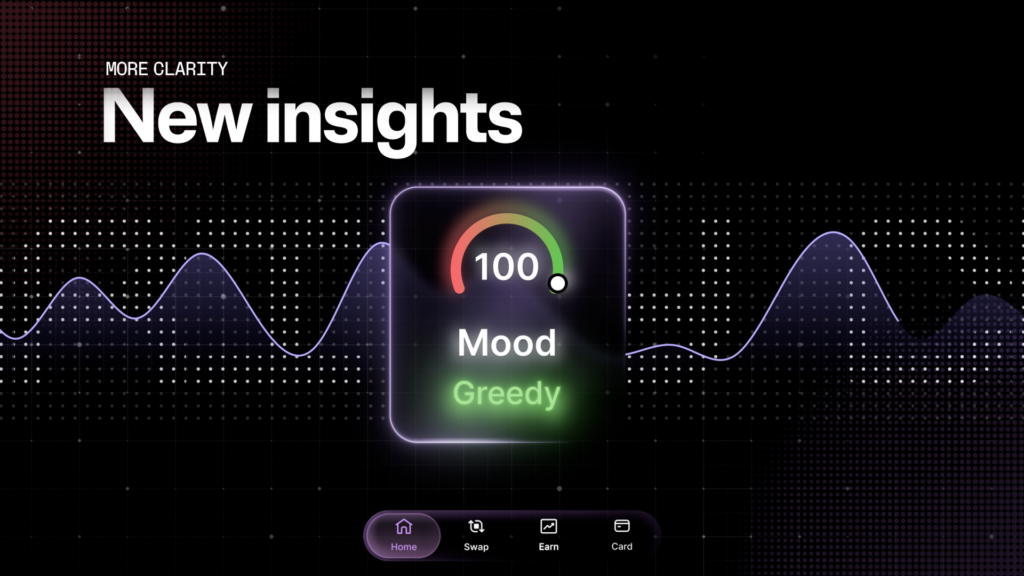
Market Mood Index and Banners
Market banners display trending assets and key price movements.
The Market Mood Index provides a high-level view of third-party data on market sentiment.
These data help you assess both price movement and broader market direction before initiating a transaction.
Profit and Loss Analytics and Asset Aggregation (Coming Soon)
The dashboard will soon show your Profit and Loss (P&L) across all supported networks, and assets held across different chains (such as USDC on Ethereum and Polygon) will be aggregated into a unified total view.
These enhancements will give you an even clearer understanding of your overall position.
Ledger Wallet 4.0: Access to Buy, Swap, and Send*
Access to information is only useful if you can act on it.
Ledger Wallet 4.0 places the three core actions, buy, swap, and send, directly on the dashboard. These controls sit alongside your portfolio data and market indicators, streamlining the navigation between data and transaction controls without navigating through multiple screens.
Each action still requires verification on your Ledger signer. The signer, powered by a Secure Element chip, ensures that every transaction is reviewed and approved securely before it is signed.
What This Means for You
The updated dashboard changes how you interact with your portfolio:
- Balance Refresh Indicators show when your balance was last updated
- Live ticker and Market Mood Index provide continuous market context
- Buy, swap, and send controls are immediately accessible
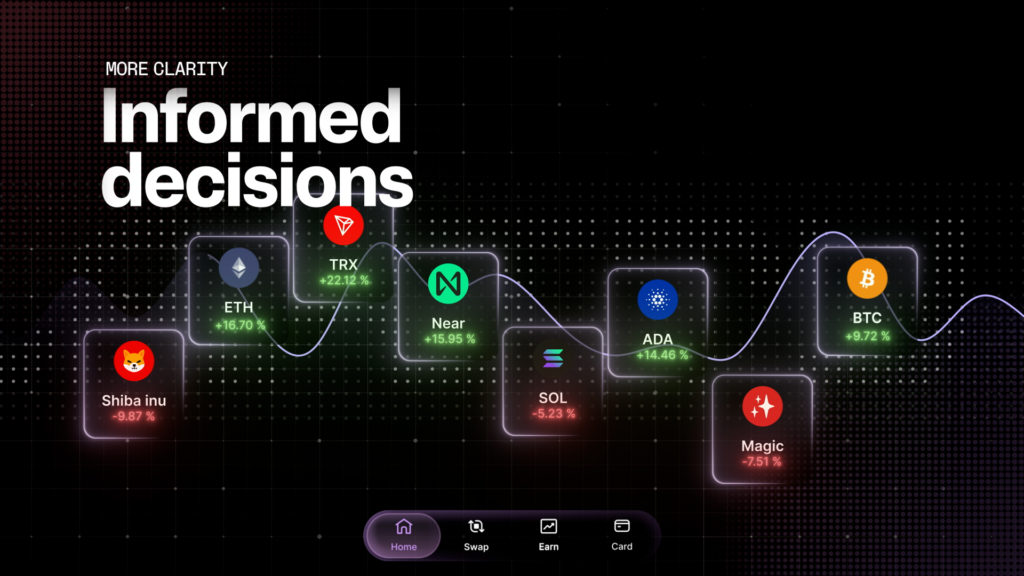
This structure allows you to review your assets, assess market conditions, and initiate a transaction from a single interface.
You no longer need to combine data from multiple sources to understand your position.
Ledger Wallet presents the relevant information and the available actions together, while Ledger signers ensure that every transaction is verified before approval.
Ledger Clear Signing: Verify What You Approve
Accurate data and fast access are only useful if the transaction itself is trustworthy. Clear Signing addresses this requirement.
Clear Signing converts complex smart contract data into clear, human-readable information displayed on your Ledger signer’s secure screen.
Instead of approving unreadable transaction hashes, you review:
- What the transaction does
- Which assets are involved
- What you are authorizing
This allows you to verify the transaction independently of the interface.
Blind signing, approving data you cannot read, removes this layer of control. Clear Signing restores it by ensuring that what you see on the secure screen matches what you sign.
Your Ledger Wallet Dashboard Checklist
Before interacting with your assets, take a moment to review both your portfolio and the market context. This helps ensure that the data you rely on is current and that the action you take matches your intent.
- Check your Balance Refresh Indicators: before you act, confirm your balance is timestamped as current
- Scan the Market Mood Index: get a real-time read on your trading environment and sentiment
- Monitor the live ticker and banners: stay aware of market trends and movements without leaving the app
- Take Action: Buy, Swap, and Send are front and center, exactly where you need them
- Verify before you sign: match the transaction details on your Ledger signer to what you see on screen.
Conclusion
Ledger Wallet 4.0 brings portfolio data, market context, and transaction actions into a single interface.
You can assess your assets, understand market conditions, and initiate transactions without relying on external tools.
Ledger signers ensure that every action remains under your control. They secure your private keys within a Secure Element chip and require you to verify each transaction before signing. Even when interacting with multiple networks and providers, you always remain in control over your assets.
This article is provided for educational purpose only and does not constitute financial advice. Crypto transaction services available via Ledger WalletTM are provided by third-party providers. Ledger provides no advice or recommendations on use of these third-party services. Ledger acts solely as technology provider.
Disclaimer:
*Crypto transaction services are provided by third-party service providers. Ledger provides no advice or recommendations to use any of these third-party services.
