
Ledger Wallet 4.0: Your Gateway to More Choice in Multichain DeFi

| KEY TAKEAWAYS: |
| — DeFi users switch between multiple crypto wallets, including software wallets & browser extensions, or even use risky exchanges just to get better rates on swaps or yields on their assets. — Ledger Wallet™ 4.0 brings you the entire crypto market inside one app, integrating over 15 independent swap providers, with your private keys staying isolated in the Secure Element chip. — Every transaction initiated within Ledger Wallet is shown to you in plain language on your Ledger signer’s secure screen before you approve it, so you can verify what you’re signing. |
Digital assets give you the freedom to manage your digital assets across supported networks, use it however you want, and never ask permission. But the freedom to swap, stake, or earn yield often comes with the friction of juggling multiple apps and security compromises from approving transactions you can’t understand, and often handing your assets to an exchange or middleman.
Ledger Wallet™ 4.0 changes that.
It brings a broad range of the DeFi ecosystem into a single, secure interface. Swap across 15+ providers, stake and earn yield directly from your portfolio**, connect to dApps without browser extensions, and even pay network fees with the token you’re swapping, all while your private keys remain protected in your signer**.
Let’s explore how all of it works.
Ledger Wallet 4.0: What’s New?
Ledger hardware wallets, also known as signers, offer features that go beyond being a digital vault you occasionally open to transfer funds or conduct simple transactions. Today, they can serve as the secure foundation for interacting with a broad range of DeFi ecosystems and even serve as guardians of your digital identity.
But to tap into that potential, you need an interface that connects you to those opportunities without exposing your private keys. Ledger signers have over a decade of uncompromised security, and protect a significant portion of crypto value while also allowing you to surf web3 securely.
With Ledger Wallet™, our all-in-one crypto app, security merges with usability – you’ll no longer feel the need to switch between apps or compromise the safety of your assets. And the best thing is, with the 4.0 update, you don’t even need to own the hardware to start exploring.
Ledger Wallet 4.0: Introducing Watch Mode
With its latest update, Ledger Wallet allows you to explore the ecosystem first and commit to a purchase later. Ledger Wallet’s new Watch Mode decouples the app from the signer entirely.
This means you can now create a portfolio, track markets, and simulate trades via Ledger Wallet all before you’ve ever unboxed your new Ledger signer.
Ledger Wallet 4.0: Direct DeFi Connectivity
Ledger Wallet 4.0 is a one-stop launchpad for DeFi; it’s a single, secure interface that connects you to multiple ecosystems without exposing your private keys. Buy, sell, swap, stake, earn yield on your stablecoins and other tokens, DCA crypto, access tokenized assets, and do much more with your crypto*.
Most DeFi apps require a browser extension like MetaMask, creating a long chain of trust: hardware wallet → extension → dApp → approve. Every link is a potential attack surface for hackers to exploit (this includes attacks like compromised extensions, spoofed interfaces, address poisoning, etc).
Ledger Wallet 4.0 supports you with direct in‑app connectivity, meaning that you can safely explore all types of DeFi environments.
dApps like 1inch and Uniswap open natively inside the app. Moreover, every transaction is prepared inside the app and sent directly to your Ledger signer for confirmation, while keeping your private keys safely inside the Secure Element chip; the tamper‑resistant hardware built into every Ledger signer.
Your keys are never exposed to your browser, an extension, or even the dApp’s interface.
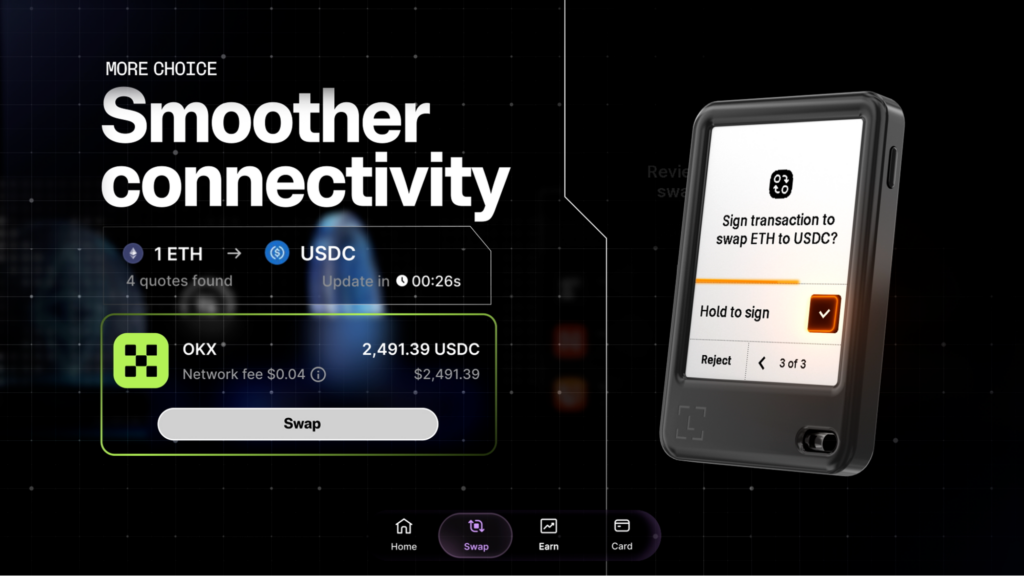
Combined with Clear Signing and Transaction Check integrations, you can always verify that what you see on a Ledger signer’s secure screen is exactly what you’ll be signing. More apps will join Ledger Wallet’s model over time, and each one removes another reason to leave the safety of the app.
Once you’re securely exploring DeFi, swapping is often the first thing you’ll want to do. Here’s how Ledger Wallet makes that seamless.
Swapping via Ledger Wallet 4.0
Swapping** via Ledger Wallet is seamless; you simply select the token you’re swapping from and the token you want, and the app then pulls live quotes from multiple providers simultaneously and displays them side by side.
You can see which provider is offering the best rate for that specific trade at that moment, pick the one you want, and press confirm.
Ledger brings the market right into your pocket. It connects you to a growing list of high‑liquidity third-party providers so you can compare and decide with confidence:
- OKX DEX – routes across over 500 decentralized exchanges on 20+ blockchains, including Ethereum, Arbitrum, Base, Optimism, Polygon, and BNB Chain.
- Jupiter – One of Solana’s leading aggregators, now native in Ledger Wallet (no external wallet like Phantom or MetaMask required).
- Velora – Suitable for larger trades, natively integrated in Ledger Wallet with order splitting and intent‑based execution to get you the most competitive price.
- Uniswap & 1inch – accessible directly inside the app, with UniswapX and 1inch Fusion providing competitive RFQ quotes.
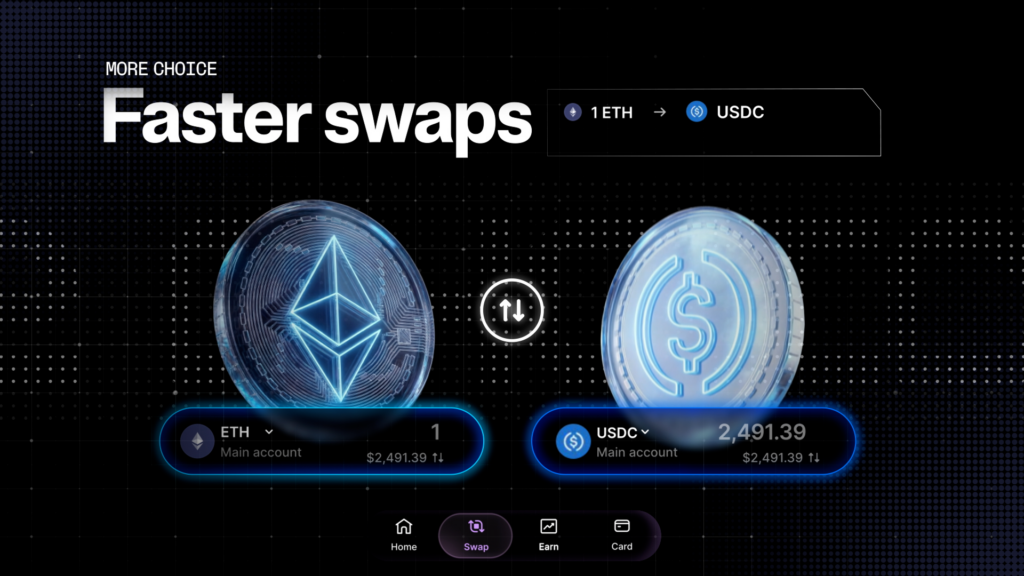
Multichain Swaps Made Intuitive
Moving crypto from one blockchain to another (for example, Ethereum to Arbitrum, or Bitcoin to Solana, etc.) used to mean navigating to a separate bridging app or site, introducing phishing risks and extra steps.
With Ledger Wallet 4.0, cross‑chain swaps happen natively inside the app.
No external bridges, no extra browser tabs, no wrapped assets. You simply select the asset you want to move, choose the destination chain, and the app handles the rest. Ledger integrates cross‑chain solutions so you can compare and choose the best route:
- Li.Fi: for moving between EVM chains (Ethereum, Arbitrum, Base, BNB Chain, etc.)
- THORChain: swap Bitcoin directly for ETH, SOL, or other assets without wrapping or using an exchange
- NEAR Intents: cross‑chain swapping across NEAR, Bitcoin, Ethereum, Solana, and more, with intent‑based execution
Your private keys never leave the Secure Element chip. The providers within Ledger Wallet handle the routing, and you keep full control of your tokens at all times.
Swapping is only part of the picture. Put your assets to work – earning yields while you carry on with your day.
Stake and Earn Yield With Ledger Wallet 4.0
Holding stablecoins on your Ledger? Explore opportunities for your holdings.
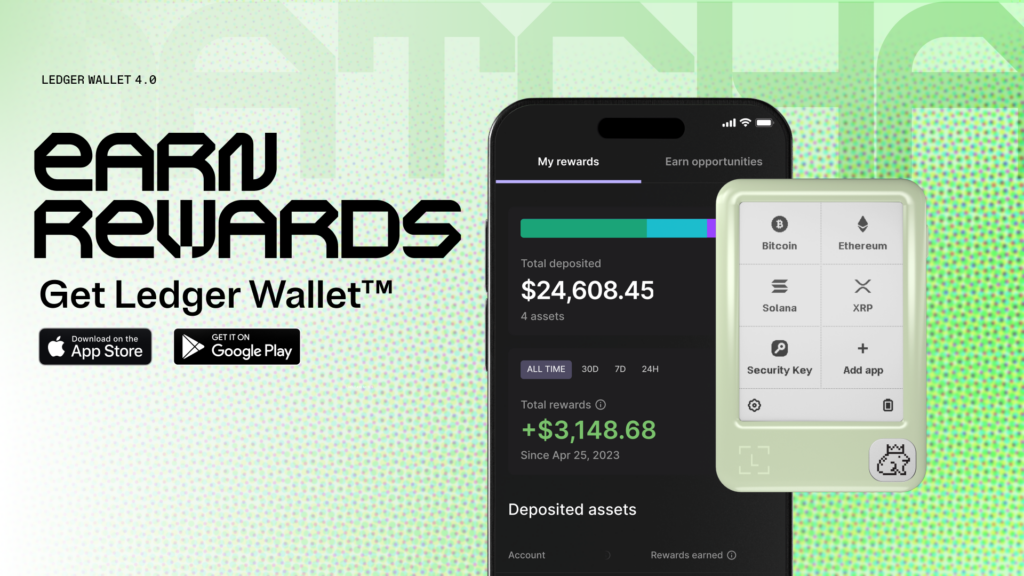
With the latest update, when you open the Earn tab on Ledger Wallet, it scans your current holdings and shows you specifically which assets are eligible for staking or yield. If you have 500 USDC in your portfolio, it shows you what that could be earning. You can then choose whether to stake those idle funds.
You no longer need to navigate multiple platforms to get the best rates for yield. Ledger connects you directly to vetted yield providers, all accessible from inside the app. Each option comes with a clear explanation and a simple “Activate” button. You choose what to do, sign the transaction on your Ledger signer, and your assets start working for you.
The Earn tab also tracks your active positions in one place. You can see your accumulated rewards*, check performance, and withdraw at any time; no lockups or complex dashboards.
What you can earn* on:
- Stablecoins (USDC, USDT, DAI, USDS) – earn yield through lending protocols.
- ETH – stake with as little as 0.05 ETH.
- BTC – earn yield without selling or moving your Bitcoin.
- Other assets (DOT, TRX, POL, BNB, AVAX, and more) – native staking with no minimum.
With Ledger Wallet 4.0, exploring the opportunities to earn* yields while you enjoy the freedoms of digital ownership with the peace of mind that comes with enhanced security. But even the best swapping and earning experience can be ruined by a common annoyance: network fees.
Ledger Wallet simplifies the previously complex process of managing network fees by removing key obstacles.
Network Fees on Ledger Wallet
In DeFi, every chain has its own native token for network fees: ETH on Ethereum, SOL on Solana, MATIC on Polygon, and so on. Hold USDC but no ETH? You can’t trade. Hold USDT but no SOL? You can’t trade. The error isn’t “insufficient value”, it’s “insufficient amount of the right token.”
This is the network fee problem, and it has nothing to do with whether or not you have funds. It’s just a mismatch: the asset you want to move and the asset required to move it are different tokens.
How Ledger Wallet 4.0 Solves Network Fee Problems
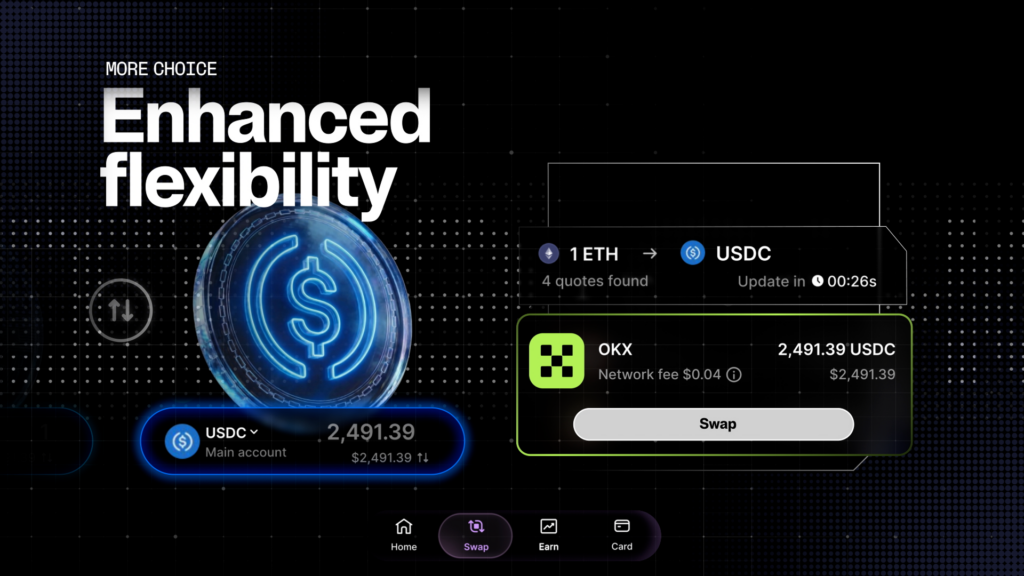
Ledger Wallet 4.0, powered by BlinkLabs, significantly reduces this mismatch entirely. The network fee is simply deducted from the token you’re already swapping.
Moving USDC? The fee comes out of USDC. Moving USDT? Same thing. You don’t need to hold ETH or any other native network token to complete the trade. Your keys stay in the Secure Element chip throughout, and network sponsoring only changes how the fee gets paid, not who controls your funds.
The mechanics are handled by BlinkLabs’ network sponsorship engine, which bundles the fee payment into your swap transaction. Your private keys stay in the Secure Element chip throughout: the only thing that changes is which token covers the cost.
So native gas tokens? No longer required. Pay fees with the assets you already hold and swap on your terms.
How to Get Started With Ledger Wallet 4.0
- Update the app and your firmware.
Open Ledger Wallet, go to Settings, and make sure both are current. Clear Signing updates are delivered through firmware — if your firmware is outdated, some transactions won’t display plain-language summaries on your device.
- Try a swap on Ledger Wallet 4.0.
Open the Swap tab, enter a token pair you’d actually trade, and look at the quotes from different providers before confirming. On larger amounts, compare OKX DEX (EVM) or Jupiter (Solana) against Velora’s split-routing quote — the difference is often visible.
- Check the Earn tab.
If you’re holding stablecoins, ETH, SOL, BTC, or assets like DOT or TRX that could be staking, the tab shows you exactly what’s sitting idle and what it could earn. Activating a position takes a few taps and one device confirmation.
- Use 1inch or Uniswap from inside the app
Instead of through your browser the next time you want to interact with them. Compare the experience to the browser flow, fewer steps, no extension risk.
Conclusion
Running your DeFi activity through a hardware wallet used to mean accepting more friction in exchange for better security. That trade-off ends with Ledger Wallet 4.0. The Secure Element chip in your Ledger signer keeps your private keys isolated from your internet-connected devices.
That doesn’t change, no matter how many providers are integrated into the app.
Every swap, staking deposit, bridge, and DeFi interaction still goes through your signer before it executes. What’s changed is what you can do from inside Ledger Wallet 4.0’s secure ecosystem.
Swaps across multiple chains. Earn* yield on stablecoins and other assets, access DeFi apps without a browser extension, pay network fees in the token you already hold, and most of all, you get to verify & sign transactions you can actually read before you approve them.
Security and access used to pull in opposite directions. In Ledger Wallet 4.0, they work together. Get a Ledger signer today and experience all that web3 has to offer.
This article is provided for educational purpose only and does not constitute financial advice. Crypto transaction services available via Ledger WalletTM are provided by third-party providers. Ledger provides no advice or recommendations on use of these third-party services. Ledger acts solely as technology provider.
Disclaimers:
*Rewards are not guaranteed. Ledger does not provide any financial advice or recommendation.
**Crypto transaction services are provided by third-party service providers. Ledger provides no advice or recommendations to use any of these third-party services.
