
How To Use Ledger Recovery Key

| KEY TAKEAWAYS: |
| — Ledger Recovery Key uses NFC technology to securely communicate with your Ledger device, enabling backup and restoration of your Secret Recovery Phrase in just a few taps. — The backup process involves authentication checks, PIN creation, and secure storage—all managed via a Ledger Flex or Ledger Stax. — Ledger Recovery Key complements your standard recovery sheet, providing an additional layer of security while maintaining the same offline principles that protect your private keys. |
Ledger Recovery Key is a PIN-protected private backup card that stores your 24-word Secret Recovery Phrase (SRP) in a Secure Element chip. By leveraging the same security principles that protect your private keys, Ledger Recovery Key offers a convenient yet secure recovery option alongside standard papers or identity-based backups.
In our previous article, we explored what Ledger Recovery Key is and why it represents a significant step forward in secure self-custody. Now, let’s dive into exactly how this innovative backup solution works and how you can use it to enhance your digital asset security.
Keeping Your Keys Offline: The Foundation of Security
Before we explore how Recovery Key works, it’s crucial to understand why keeping your private keys offline remains fundamental to secure self-custody.
In the early days of crypto, many users stored their private keys on internet-connected devices like smartphones, laptops, or on cloud services. These tools were built for convenience, not security. This created a dangerous mismatch: they made it easy to share information, but just as easy to lose control over valuable information like private keys.
At Ledger, we believe that true self-custody demands purpose-built, dedicated hardware. Ledger Recovery Key continues this legacy by offering an offline, PIN-protected backup for your Secret Recovery Phrase; giving you peace of mind, without ever compromising on security.
How Does Ledger Recovery Key Work?
The secure components of Ledger Recovery Key combine to ensure the processes for backing up and restoring your wallet are quick, secure, and easy. By reducing the complexity of managing your Secret Recovery Phrase, it helps make self-custody more accessible and less intimidating—especially for those new to it. That said, it’s still essential to write down your 24 words on a recovery sheet and store it safely.
NFC Antenna
Encrypted NFC communication enables secure, offline hardware-to-hardware exchanges between the Secure Elements in both your Ledger Recovery Key and Ledger device. This design protects your private keys from potential threats like skimmers while allowing you to back up and restore your device with a few taps on the back of your Ledger.
Secure Element
Ledger Recovery Key incorporates the same certified Secure Element technology found in Ledger hardware. This tamper-resistant chip protects sensitive data and executes secure operations within an isolated, trusted environment—delivering the same robust security standards used in credit cards and biometric passports.
Ledger Recovery Key App
The Ledger Recovery Key App runs on the device’s secure touchscreen, providing complete control over all Recovery Key functions through an intuitive interface, and ensuring that sensitive operations never leave the secure hardware environment.
How to Backup Your Recovery Phrase Using Ledger Recovery Key
To backup your Secret Recovery Phrase using Ledger Recovery Key, you can follow these steps:
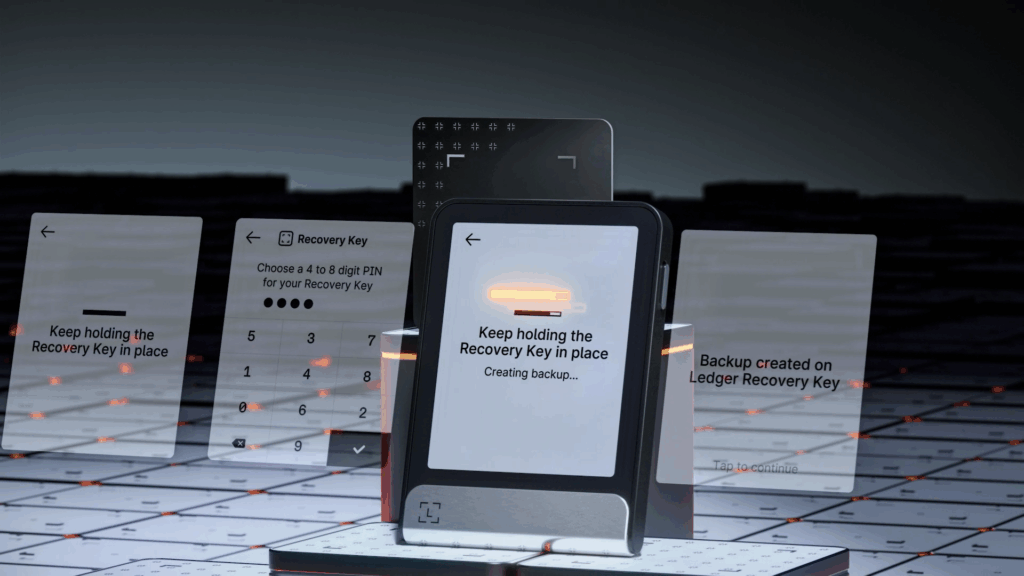
1. Ensure compatibility: Ledger Recovery Key securely communicates with your Ledger device using encrypted NFC, which is enabled on Ledger Flex and Ledger Stax as standard.
2. Confirm authenticity: By holding your Ledger Recovery Key against the back of your device, you can confirm its authenticity by checking if its ID matches the one shown on your Ledger Flex or Ledger Stax screen.
3. Create a PIN: You will be required to create a 4-8 digit security PIN for your Ledger Recovery Key. This PIN is separate from your device PIN and offers a security advantage over a standard recovery sheet. Remember this PIN, as three incorrect attempts will reset the card to factory settings, permanently erasing the backup.
4. Perform one-tap backup: When prompted, simply hold your Ledger Recovery Key against the back of your device to create an additional backup of your Secret Recovery Phrase.
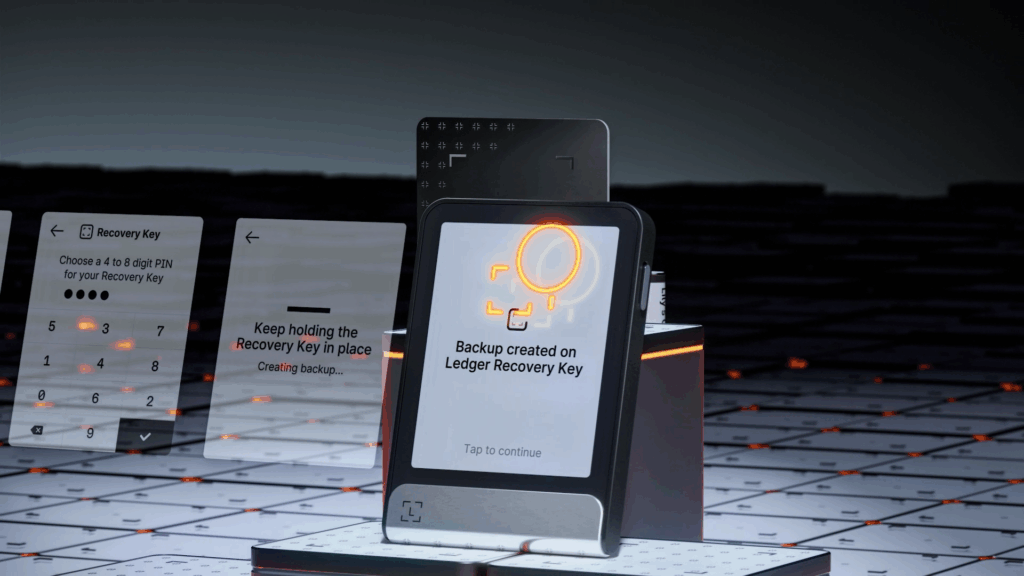
5. Store your spare key: Like a spare car key, you should keep your Ledger Recovery Key somewhere safe and separate from your Ledger device and your standard recovery sheet.
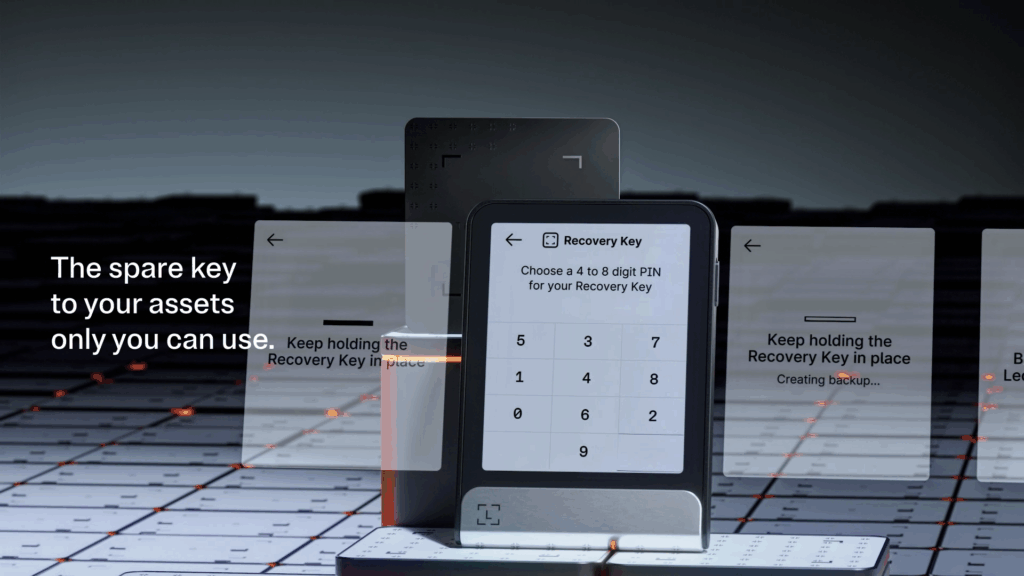
The Ledger Recovery Key is designed to complement the standard recovery sheet, allowing you to store the physical sheet safely out of sight and reducing the risk of loss, damage, or exposure. With built-in PIN protection, it also adds a critical layer of defense against phishing and unauthorized access.
How to Restore your SRP to a Ledger Stax or Ledger Flex with Ledger Recovery Key
You can easily restore access to your wallet accounts using Ledger Recovery Key in just a few moments:
Step 1: Initiate the Restoration Process
Set up your new Ledger device and select the option to restore from a backup during the initial setup process.
Step 2: Enter Your PIN
When prompted, enter the PIN you created for your Ledger Recovery Key. This authenticates your access to the encrypted recovery phrase stored on the card.
Step 3: One-Tap Restoration
Simply tap your Ledger Recovery Key on the back of your Ledger Stax or Ledger Flex, and access to your wallet is restored. Your accounts, transaction history, and all associated data will be available exactly as they were before.
Where is Your Recovery Phrase Stored When You Backup Using Ledger Recovery Key?
This is a crucial point: your SRP remains completely offline throughout the entire process of backing it up. When you backup using Ledger Recovery Key, your 24-word Secret Recovery Phrase is:
- Encrypted within the Recovery Key’s Secure Element chip
- Isolated from any internet-connected devices or services and never transmitted over the internet or stored on any online servers
- Protected by the same security standards as your private keys
Ledger Recovery Key acts as a physical vault for your SRP using the same tamper-resistant technology that has kept Ledger devices secure for over a decade.
What If You Lose Your Ledger Recovery Key?
While Ledger Recovery Key provides enhanced convenience and security, it’s important to understand that your security ultimately depends on your traditional recovery sheet. As long as you have your 24 words stored securely on paper, you can:
- Set up a new Ledger device using your recovery sheet
- Create a new Recovery Key to backup your restored wallet
- Maintain full access to all your digital assets and accounts
Ledger Recovery Key’s PIN-protection wipes the card after three incorrect attempts, meaning that it stays secure even if it falls into the wrong hands.
Security Through Redundancy
The beauty of Ledger Recovery Key lies in how it strengthens your overall security posture without creating new vulnerabilities. Providing multiple secure backup options—through a traditional recovery sheet, Ledger Recovery Key, or our optional subscription service, Ledger Recover—reduces reliance on any one method, makes baking up and restoring your wallet more convenient and empowers your personal security preferences.
Secure Self-Custody Made Simple
Ledger Recovery Key represents the evolution of secure backup solutions, combining the proven security of offline storage with the convenience of modern technology. By understanding how it works and implementing it alongside your existing security practices, you can enjoy enhanced protection for your digital assets without compromising on the security principles that make self-custody possible.
Your Secret Recovery Phrase is the master key to your digital wealth. With Ledger Recovery Key, that key remains as secure as ever while becoming more accessible and convenient to use. Because true security is robust, reliable, accessible, and suited to your needs.
Ready to experience the next generation of secure backup solutions? Ledger Recovery Key comes included with every new Ledger touchscreen device. Try it out and see how simple secure backups can be.
